Vertical video display
Social media style format
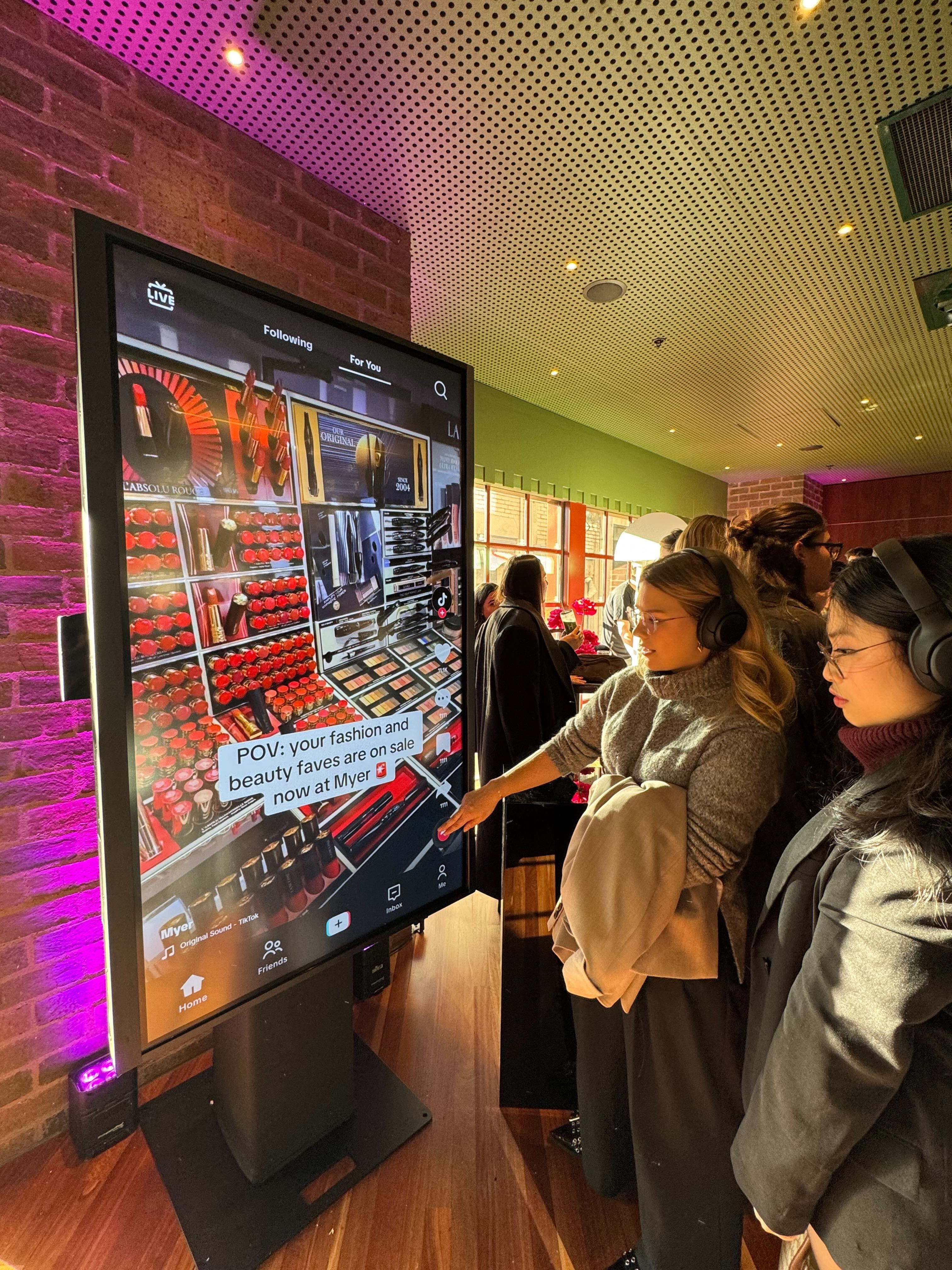
Step 1: Upload Your Content
Before the event, upload your chosen video content to the PlayHive dashboard. This can include brand campaign films, influencer content, licensed user-generated content, product demonstrations, or curated social content.
Step 2: Curate Your Playlist
Organise your content into a playlist — set the running order, choose which clips to feature prominently, and configure whether the display rotates continuously or highlights specific content at set times.
Step 3: Display Runs Throughout the Event
Content plays on screen in a vertical, social media-style format — familiar, visually compelling, and optimised for the screens your audience is already looking at throughout the event.
Step 4: Update and Adapt
Content can be updated from the dashboard during the event — swap clips, adjust the playlist, or push priority content to the front of the rotation at any time.
Video content — any brand-owned or licensed footage uploaded pre-event
Playlist order and rotation settings
Featured content — pin priority clips to play more frequently or at specific times
Screen surround design — brand colours, logo, and frame
Display format — optimised for vertical screens, large-format displays, and LED walls
Content scheduling — set specific clips to play at specific moments during the event
Drive higher content engagement
Works seamlessly alongside other PlayHive games
Gives existing brand content a premium, high-visibility platform at the moments of highest audience attention
The familiar social media format drives significantly higher content engagement than traditional event screen displays
Full editorial control — you decide exactly what plays, in what order, and when
Extends the value of existing campaign assets without requiring new content creation
Keeps screens active, on-brand, and visually compelling throughout the full event duration
Works seamlessly alongside other PlayHive games — use Reels in ambient areas while competitive games run at activation points






What video formats does PlayHive Reels support?
Reels supports standard video formats including MP4. Videos should be formatted vertically (9:16 ratio) for optimal display. Our team can advise on technical specifications if needed.
Can we update the content playlist during the event?
Yes. The playlist can be updated from the PlayHive dashboard at any time during the event — swap clips, adjust the running order, or push priority content without interrupting the display.
Can Reels run on multiple screens simultaneously?
Yes. Reels can be deployed across multiple screens within a venue — running the same playlist or different curated content per screen depending on your activation design.
Can Reels run alongside other PlayHive games at the same activation?
Yes. A common configuration is to run Reels on ambient screens throughout the event space while competitive games like Memory Match or Reaction Test run at a dedicated activation point. This creates a layered brand presence across the full venue.